LensPrompt · Practical guide
How to Adapt Product Photography Prompts
Write the object, surface, light, and framing as one coherent brief, then inspect the details that matter.
A product image has a practical job: make an object understandable while creating a particular mood. Start with the object’s shape and materials, then give it a setting that supports it. The archive examples show different directions, rather than a tested template for your brand.
Start with four steps
Describe the actual object
Name the product type, silhouette, material, and important visible features. Separate details you can tolerate changing from details that must match a real product.
Choose a supporting scene
Define the surface and the background as two related parts. Make sure props and scale support the product rather than hide it.
Set light and camera relationship
Choose a dominant light direction and framing: top-down flat lay, eye-level object portrait, or a deliberate low angle. Keep reflected highlights consistent with the material.
Inspect at full size
Check the silhouette, label, logo, reflections, contact shadows, and small mechanical details. A convincing mood is not enough if the actual product is misrepresented.
Flat lay: use the placeholders as a checklist
Memphis Sunglasses Flat Lay makes its variables visible: surface material, color palette, light, and background elements. Read these as decisions to fill in before submitting the prompt. A consistent palette and controlled prop list make the brief easier to evaluate.
Keep the sunglasses’ shape and placement clear. If geometric props take over the composition, reduce their size or count in an adaptation. Do not assume that naming a luxury product will reproduce its exact design or its licensed branding.
Watch campaign: scene and detail have different demands
Sunrise Desk Watch Campaign places a wristwatch on a walnut desk in an office at sunrise. The light and setting establish the atmosphere; the dial, case, strap, and reflections carry the object’s credibility.
Inspect the dial and hands closely rather than relying on the broad “ultra-realistic” instruction. Source images can still contain errors. The example has not been rerun here and is not a verified catalog photograph of a real watch.
Skincare: distinguish the sample brand from your product
Rainforest Body-Cream Campaign describes a specific tube, product name, colored packaging, and rainforest environment. Those particulars belong to the source example. Replacing a name in text is not a reliable way to preserve your own packaging geometry or label artwork.
If exact packaging matters, define a reference-image workflow in a tool that supports the required controls and use reference material you are allowed to supply. Label a text-only reinterpretation as a concept, rather than a faithful photograph of your product.
Use fewer contradictions and clearer checks
A mirror-like bottle and a matte paper label should not be described as if every surface reflects light in the same way. State which material receives the highlight and which details should remain legible. Keep prop scale and support surfaces physically plausible.
Evaluate an image against a short list: recognizable object, intended composition, useful lighting, and acceptable product detail. Then revise the single largest failure. Keep a separate version of each adaptation so the original source prompt remains intact.
A separate working version
What an adaptation can look like
Editorial adaptation, not generation-tested: A concept photograph of an unbranded stainless-steel wristwatch on a dark walnut surface, three-quarter view, soft sunrise light from the right, restrained reflections, a quiet office background, clear product silhouette, minimal props.
This concept removes the implied brand brief and narrows the composition. It does not guarantee accurate watch mechanics, a particular product identity, or commercial reuse rights in the source material.
See the whole record
Explore the source examples
These images belong to the source records. They are not results generated from the adaptation above.
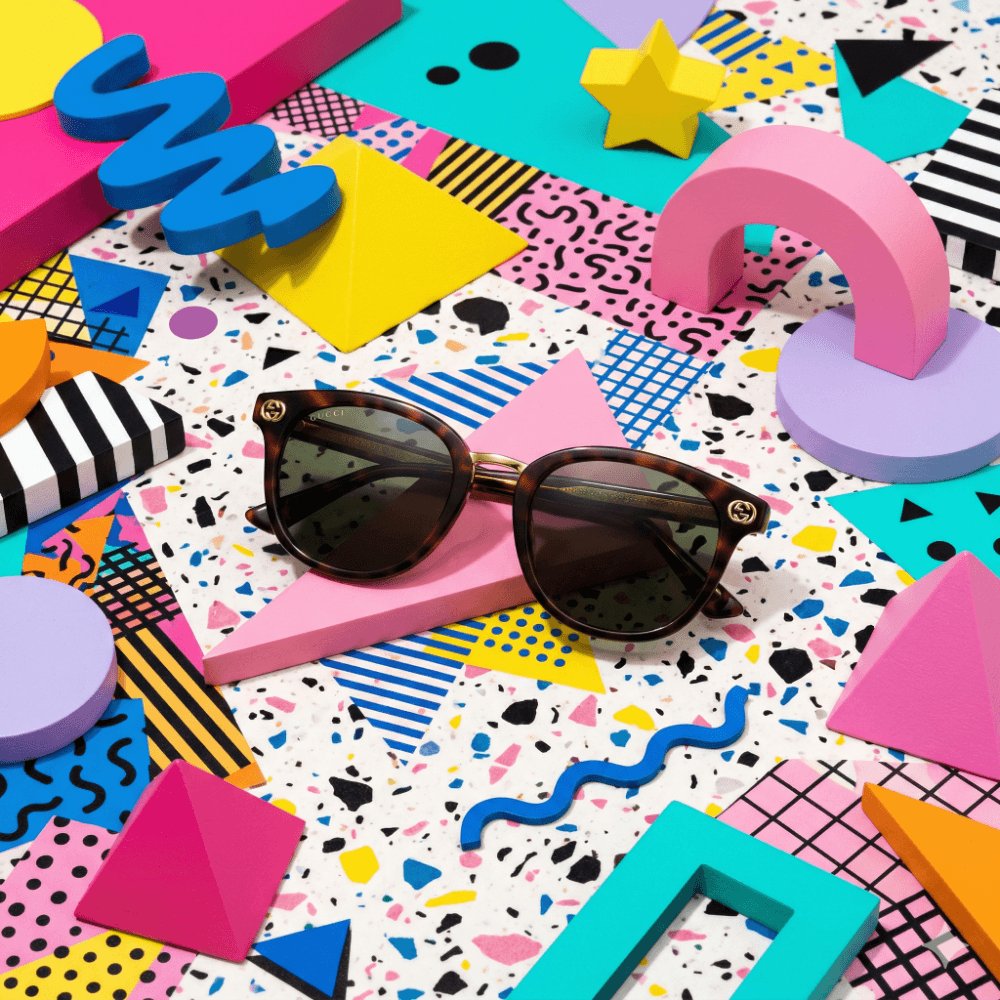
Memphis Sunglasses Flat Lay
@commanderdgr8Original source excerpt
A Memphis Design-styled editorial photograph of a pair of luxury designer sunglasses displayed on a [SURFACE_MATERIAL] terrazzo surface. Bold clashing geometric shapes — pink triangles, yellow squiggles, blue circles — form the background as 3D sculptural elements. [COLOR_PALETTE] palette of deliberately clashing pastels and primaries.Read the full original prompt
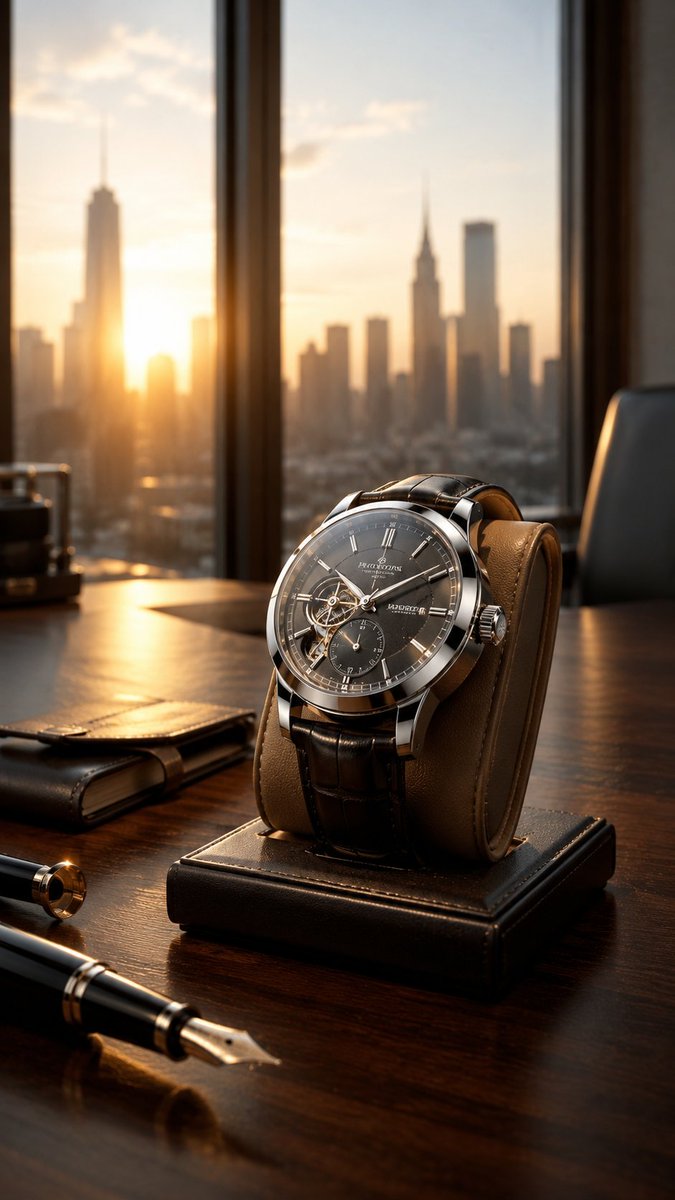
Sunrise Desk Watch Campaign
@Urwa_345Original source excerpt
Ultra-realistic high-end commercial advertisement of a premium luxury wristwatch placed on a dark walnut desk inside an elegant modern office at sunrise. The watch is positioned naturally on a sophisticated leather watch stand, featuring a polished stainless-steel case, detailed mechanical dial, realistic metallic hands, subtleRead the full original prompt
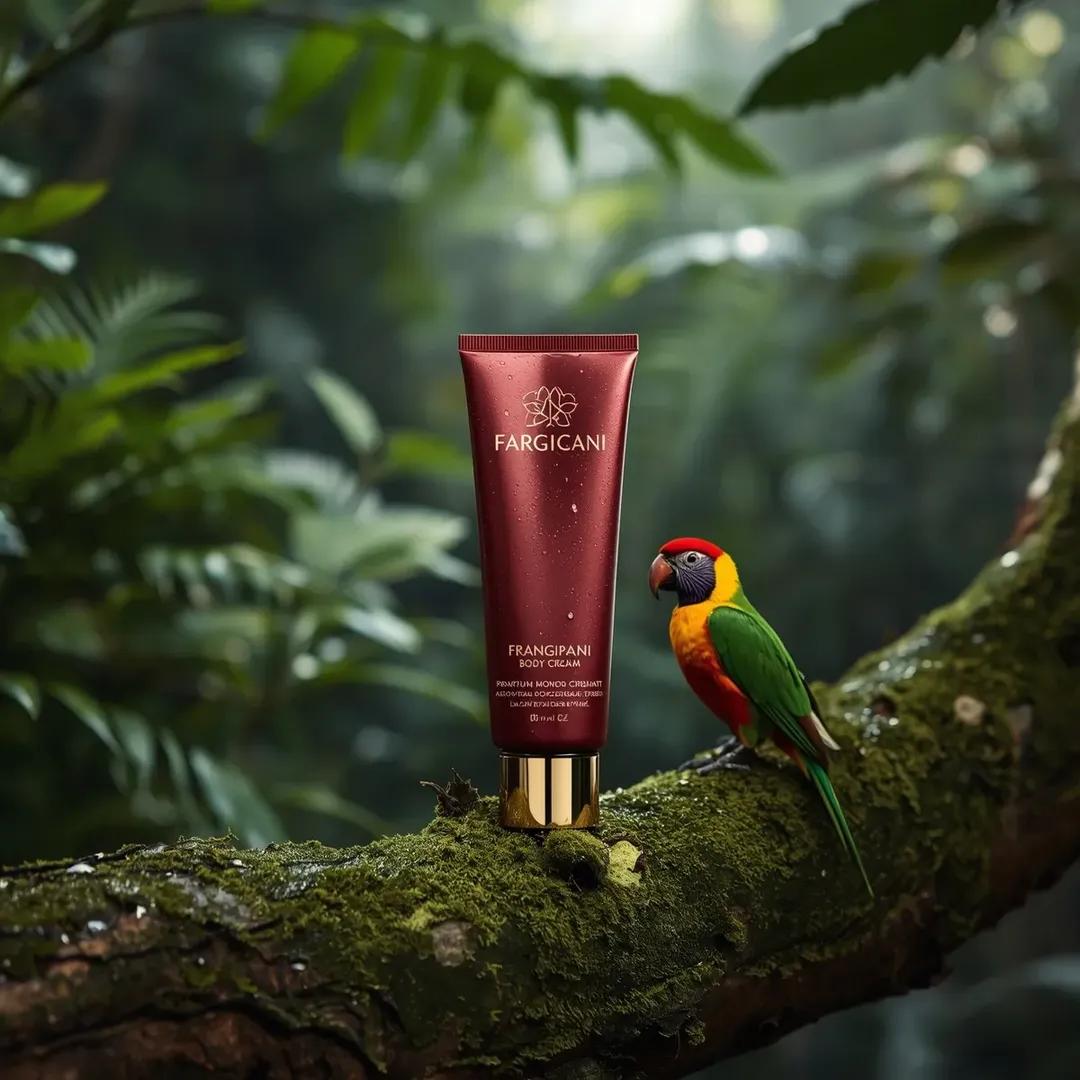
Rainforest Body-Cream Campaign
@oggii_0Original source excerpt
Ultra-realistic premium skincare product shot of a body cream tube (Frangipani Monoi Body Cream), positioned upright on a (moss-covered tree branch in a tropical rainforest setting), captured at a (slightly low eye-level angle) to give the product presence, rich (deep red matte tube) with subtle water droplets on the surface, metallicRead the full original prompt