LensPrompt · Practical guide
How to Use AI Image Prompts
Turn a source-linked example into a useful starting point, without confusing the original with your adaptation.
A good reference gives you two things: a picture to inspect and a prompt to read. Start by deciding which part of the picture matters to you. Then carry that idea into your chosen tool, keeping the original record separate from the text you change.
Start with four steps
Choose the visual idea
Pick one example for a specific reason: the framing, light, material, or setting. Open its source and read the whole prompt before deciding that the text explains everything in the image.
Check inputs and parameters
Identify named tools, reference images, placeholders, and command-style parameters. Compare them with the controls your chosen tool actually supports. A private profile or a missing reference can prevent a faithful comparison.
Make a separate working copy
Copy the original first, then save your edits as an adaptation. Fill in bracketed variables deliberately. Change the subject or scene without silently rewriting the archived original or implying the original creator wrote your version.
Run, compare, change one thing
Generate in your chosen tool, inspect the result against your chosen visual goal, and adjust one meaningful variable. Keep notes on the tool and settings so a later comparison is useful.
Read the source as a record
The Night Street Editorial Portrait includes a city setting, warm streetlights, red neon spill, a leather jacket, and background bokeh. Those phrases describe visible decisions you can inspect. Its Midjourney-style suffix also includes a profile identifier and other parameters. Treat those as part of the recorded original, not as portable instructions every model understands.
The source image may depend on settings, reference inputs, model versions, or selections that are not captured in the text. LensPrompt has not rerun this example. The page is a reference, rather than a promise that the words alone will reconstruct the same face or composition.
Fill placeholders before you submit
The Memphis Sunglasses Flat Lay explicitly contains variables such as [SURFACE_MATERIAL], [COLOR_PALETTE], and [LIGHTING_MOOD]. They are editing instructions, not finished visual descriptions. Replace each with a coherent choice and read the resulting sentence again.
For example, a polished concrete surface and a restrained monochrome palette may be useful for your brief, but they change the source’s colorful Memphis direction. Name that version as your adaptation. Do not display its generated image as a verified reproduction of the original example.
Keep descriptive words separate from controls
Phrases such as “high resolution,” camera focal lengths, and film grain can express a desired look. They do not set a real export size, aperture, or camera. If your tool has a size or aspect-ratio control, set that control explicitly.
When switching tools, remove unsupported command syntax only in the working copy. Keep supported visual instructions that still serve your goal. If you cannot tell whether a parameter is supported, check the tool’s own documentation before starting a large batch.
Evaluate the part you intended to change
Compare framing, subject placement, light direction, and background separation before adding more adjectives. A tighter crop is a different problem from an incorrect material or a distracting background. Fix the largest mismatch first.
For a portrait, inspect hands, eyes, and accessories at full size. For an object, inspect its silhouette, label, reflections, and contact with the surface. Save or discard a result on what you can actually see, rather than on how elaborate the prompt sounds.
A separate working version
What an adaptation can look like
Editorial adaptation, not generation-tested: A portrait of an adult musician on a quiet city street after rain, softly lit by a warm streetlight from the left, restrained reflections in the background, dark coat, calm expression, medium framing, natural skin texture.
This new text demonstrates a narrower visual brief. It is not the source author’s prompt, does not preserve a private profile, and has no generated result attached.
See the whole record
Explore the source examples
These images belong to the source records. They are not results generated from the adaptation above.
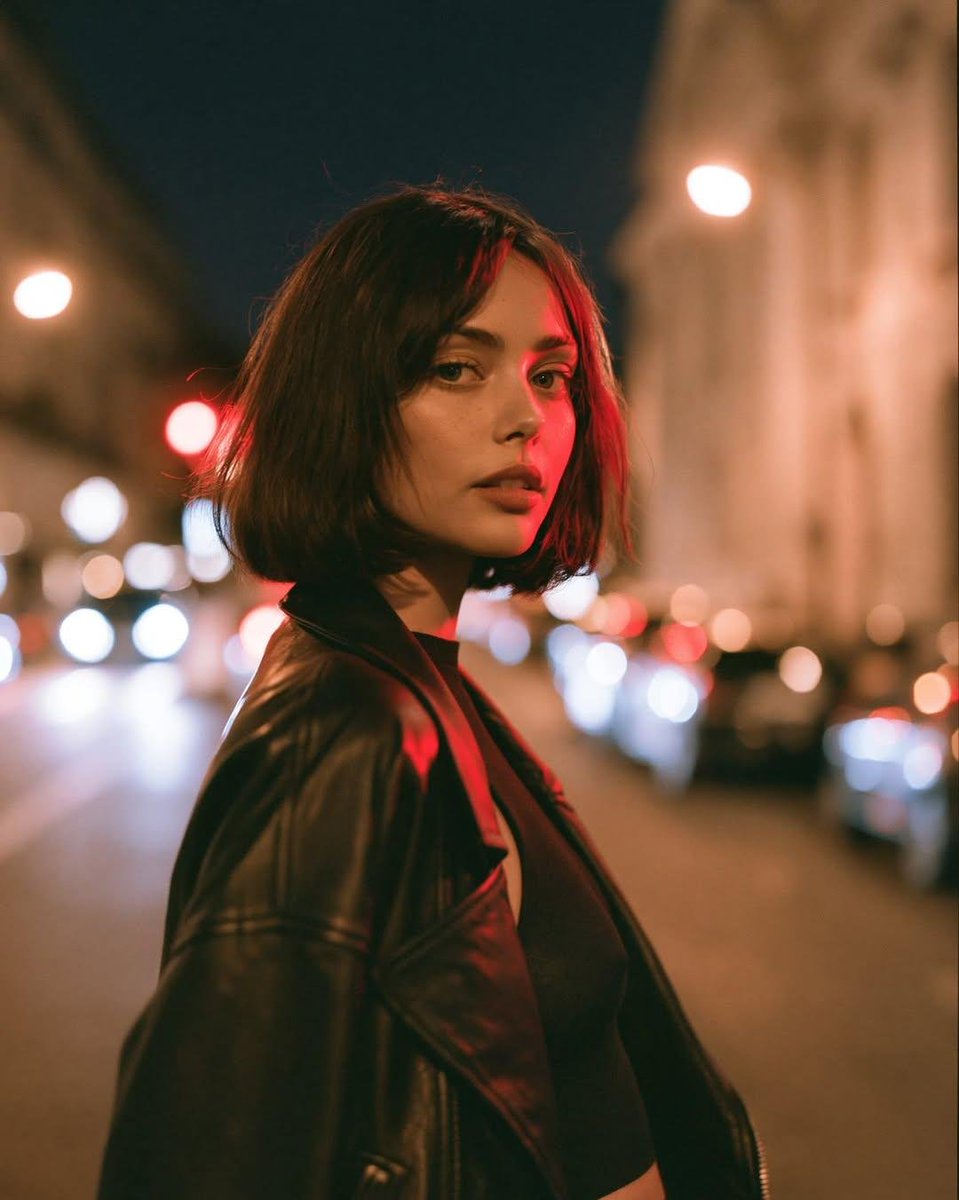
Night Street Editorial Portrait
@GoodmanprotocolOriginal source excerpt
Photorealistic cinematic night portrait of a young woman standing on a city street, softly lit by warm streetlights and subtle red neon spill light across one side of her face. She has a sleek shoulder-length brunette bob, refined natural features, and wears a black leather jacket over a dark top. She looks toward the camera with a calm,Read the full original prompt
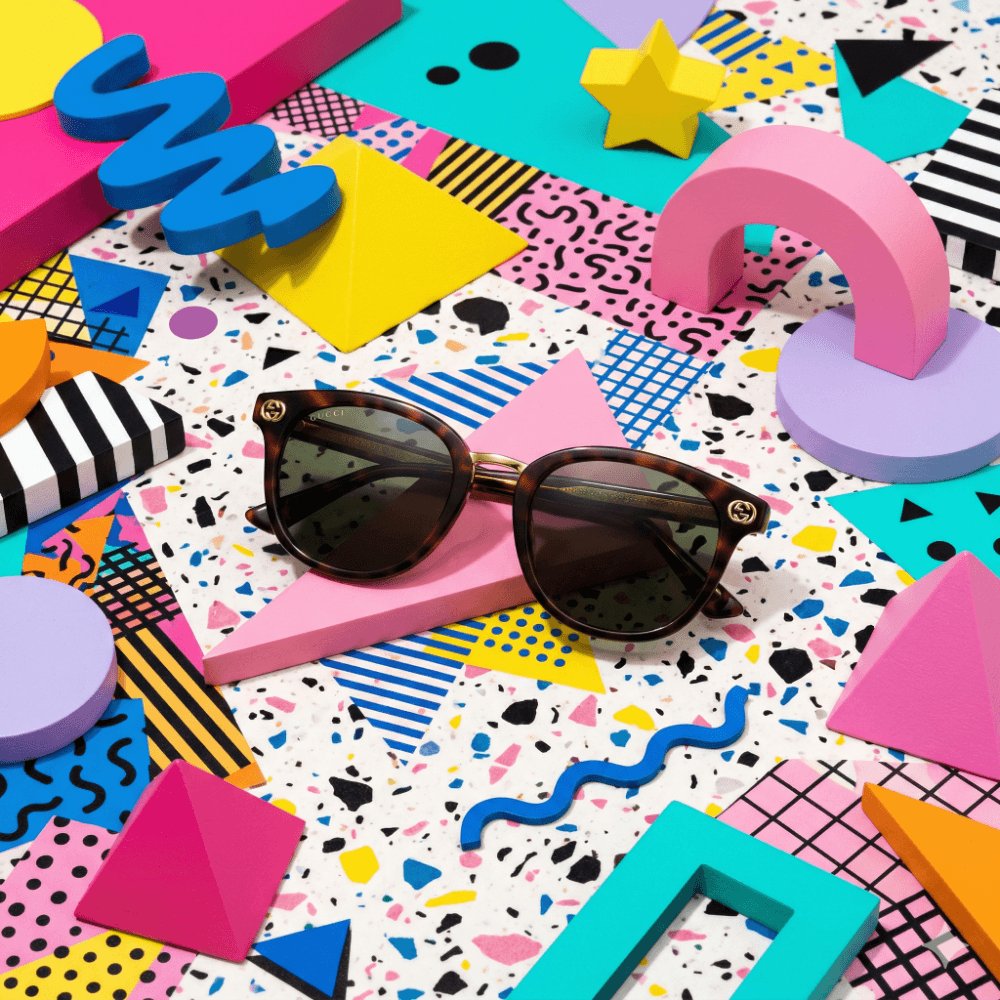
Memphis Sunglasses Flat Lay
@commanderdgr8Original source excerpt
A Memphis Design-styled editorial photograph of a pair of luxury designer sunglasses displayed on a [SURFACE_MATERIAL] terrazzo surface. Bold clashing geometric shapes — pink triangles, yellow squiggles, blue circles — form the background as 3D sculptural elements. [COLOR_PALETTE] palette of deliberately clashing pastels and primaries.Read the full original prompt